MARKETING & ANALYTICS / IN-HOUSE PROJECT

Privacy-first analytics for our own website.

We set up Google Tag Manager and Google Analytics 4 on growthgeeks.agency behind a branded cookie banner. Page views, link clicks and contact-form enquiries are only measured after a visitor says yes.

Client
Growth Geeks Agency (our own website)
Stack
WordPress · GTM4WP · CookieYes · Google Tag Manager · GA4
Project type
In-house measurement setup
Audience
Growth Geeks team; visitors in Germany and the EU

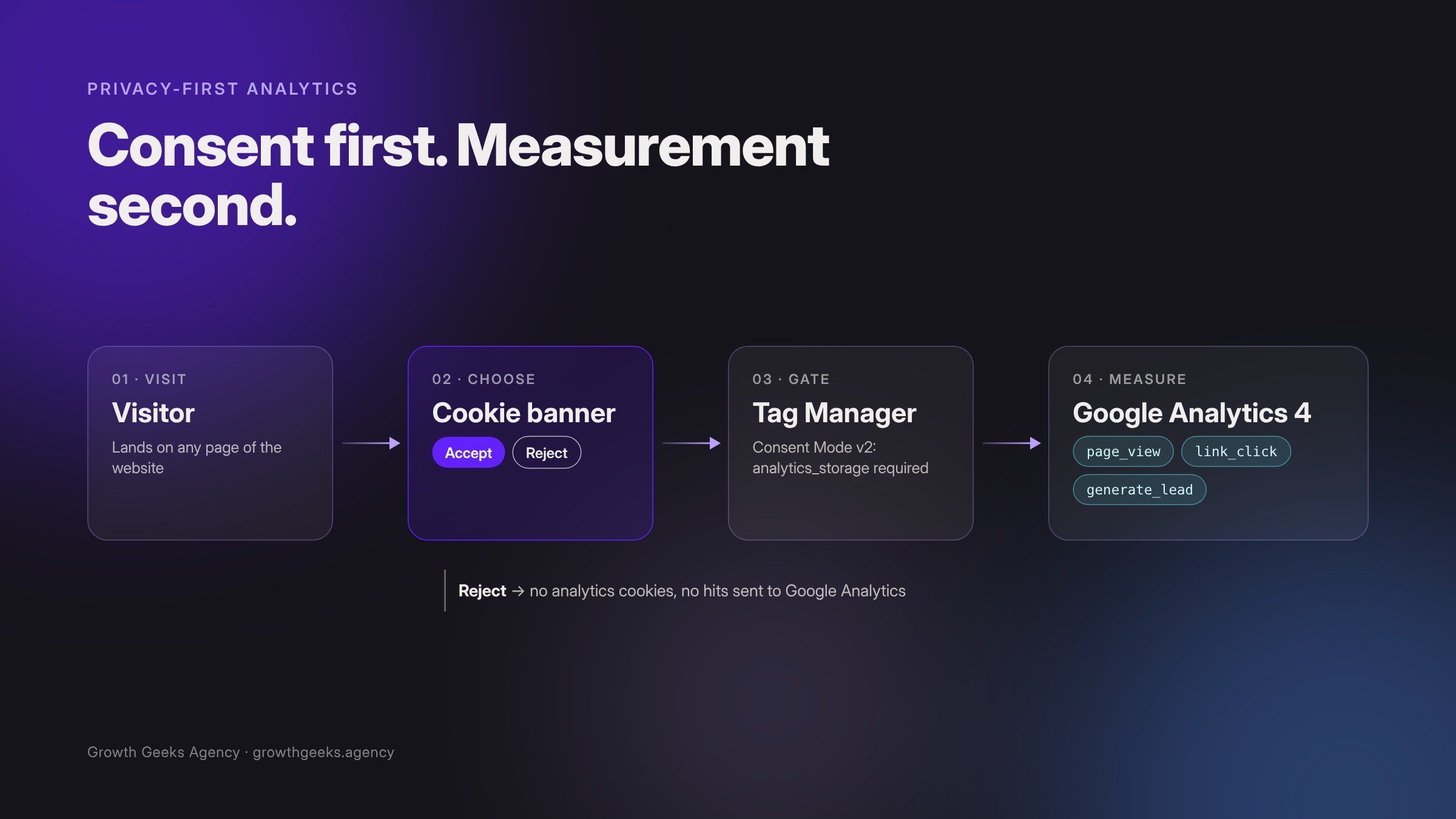
The consent flow: nothing reaches Google Analytics until a visitor accepts.

01The brief

Measure what matters. Only with permission.

Our website had no analytics. We wanted to know which pages people read, which links they follow and when the contact form is sent, so we can improve the site based on real use.

We are based in Berlin, and our visitors expect their privacy to be respected. Analytics cookies may only be set after consent, and rejecting has to be as easy as accepting.

02The approach

Nothing loads until a visitor says yes.

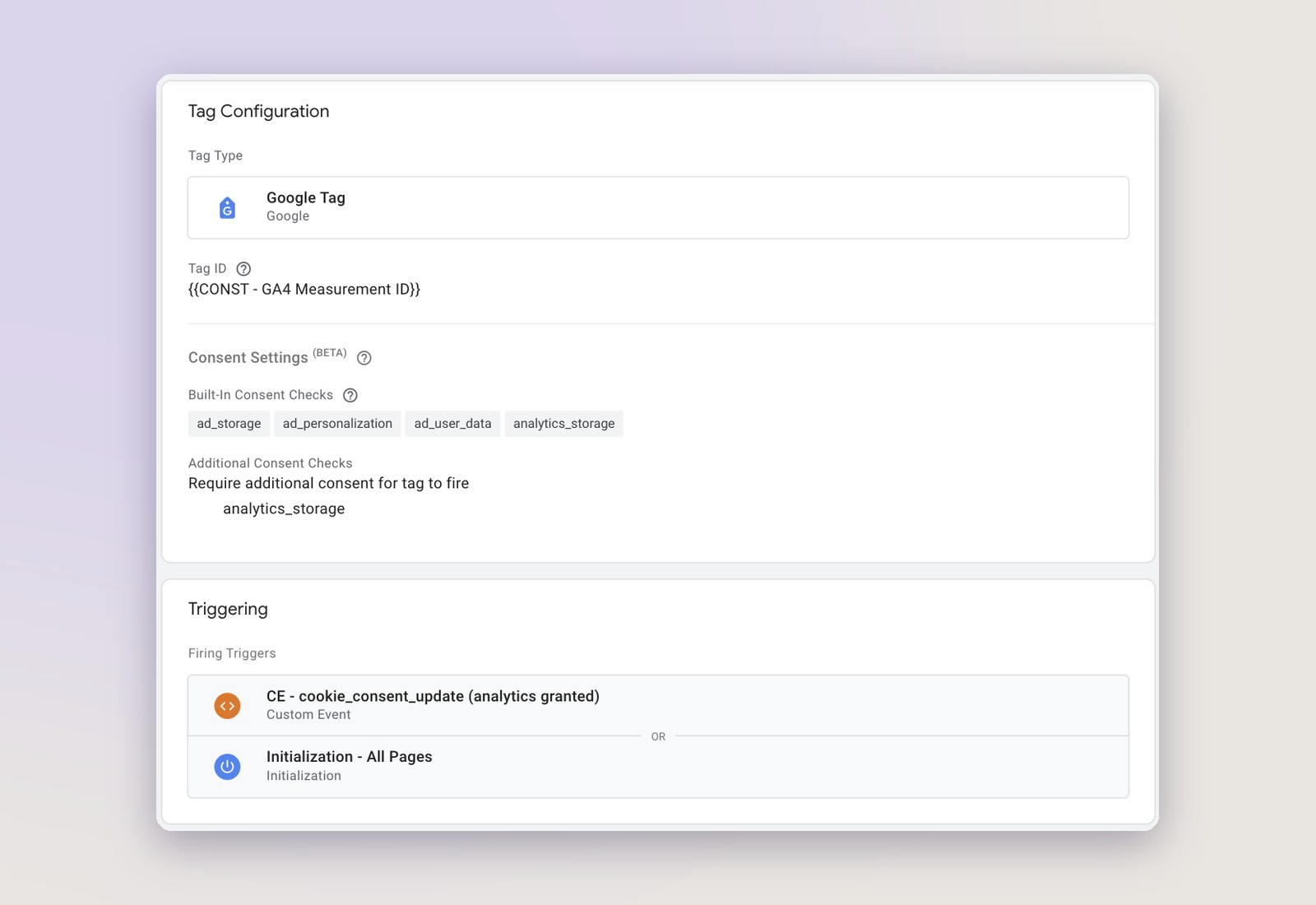
We used Google Consent Mode v2 in its strictest form. Every consent type starts as “denied” before Tag Manager loads, and every Google Analytics tag needs analytics consent before it can run.

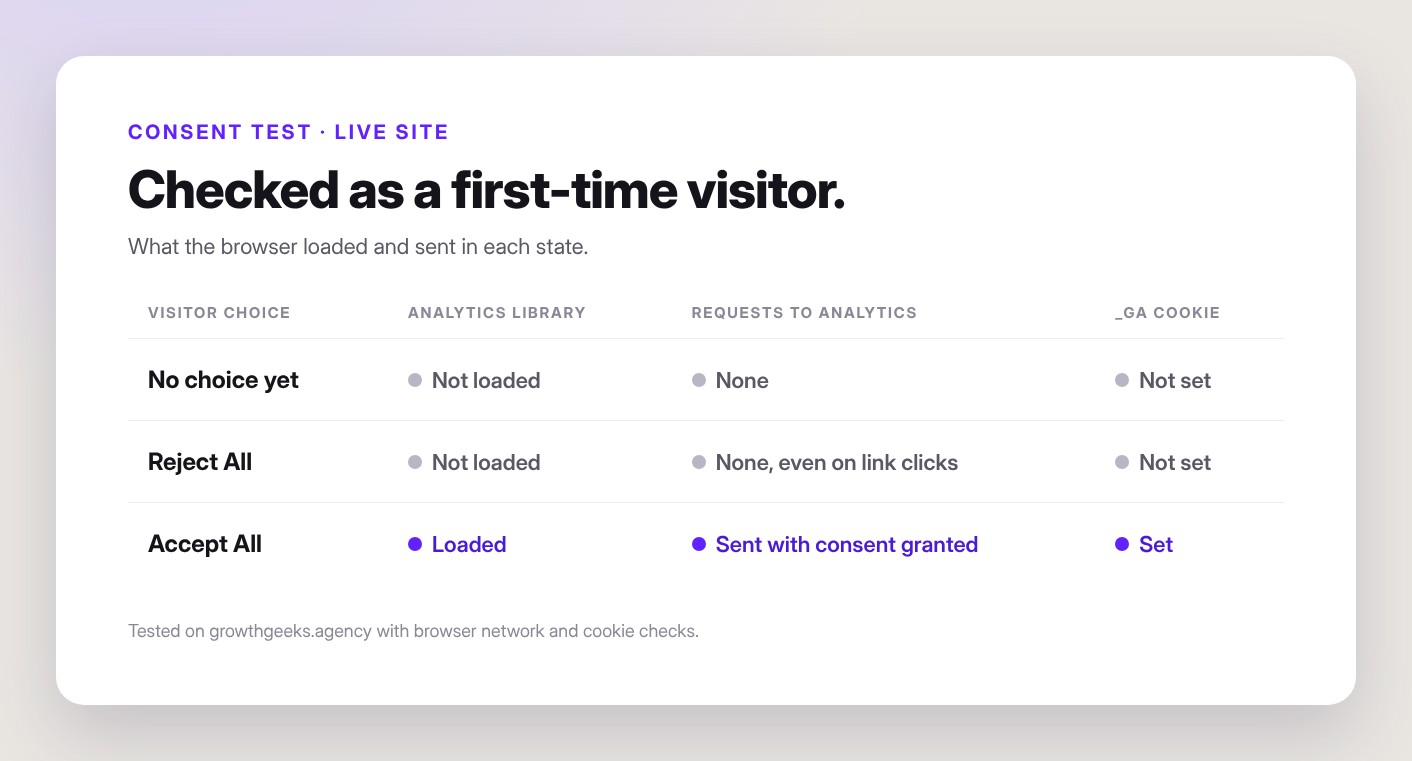
If a visitor rejects, or makes no choice, the Analytics library isn’t loaded at all. No cookies, no requests, no guesswork.

03The work

Built to match our brand and follow the rules.

The banner uses our own colours and type, so it feels like part of the site. Behind it, one Tag Manager container holds every tag, trigger and consent rule.

Equal choices on every screen.

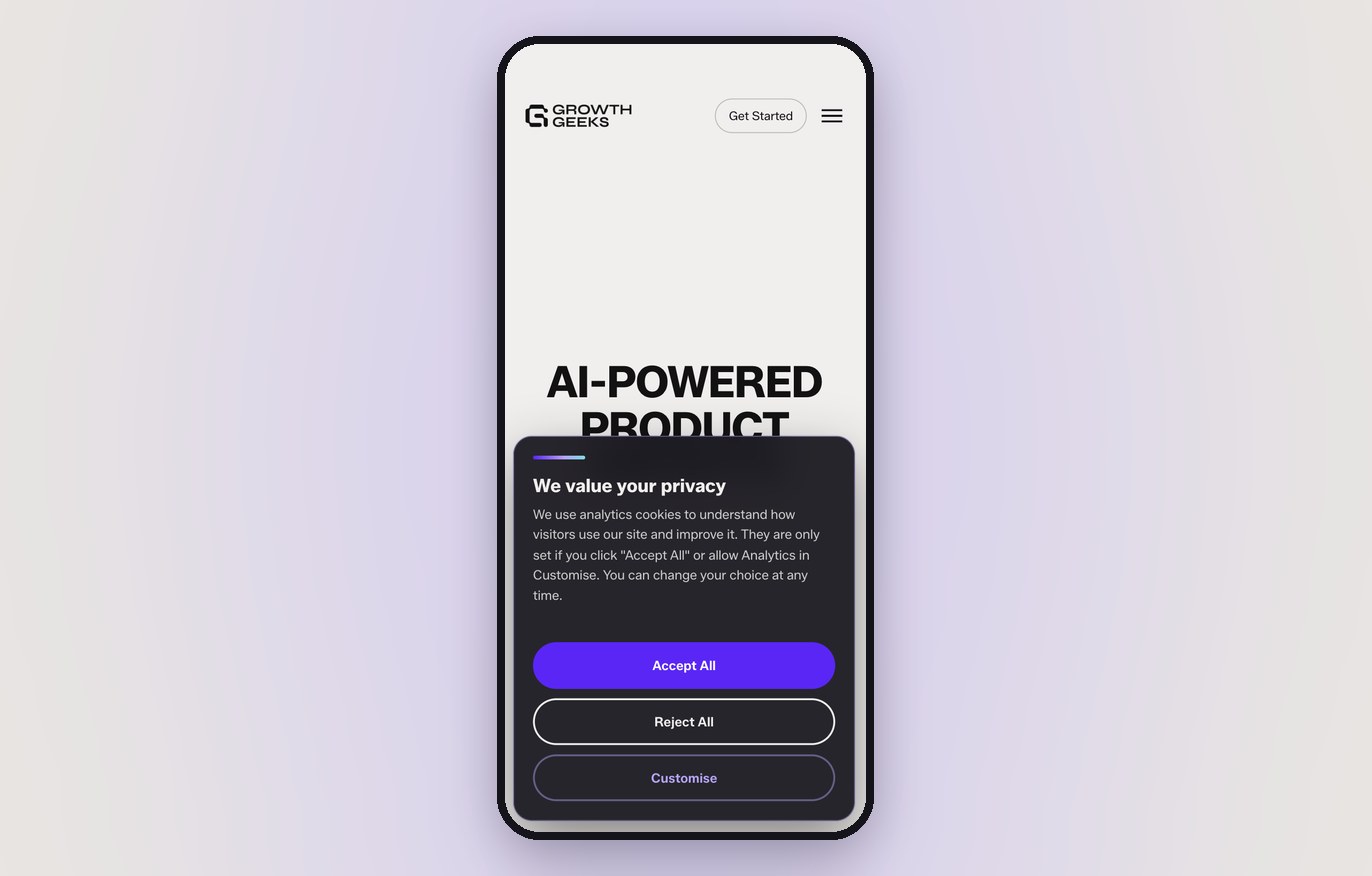
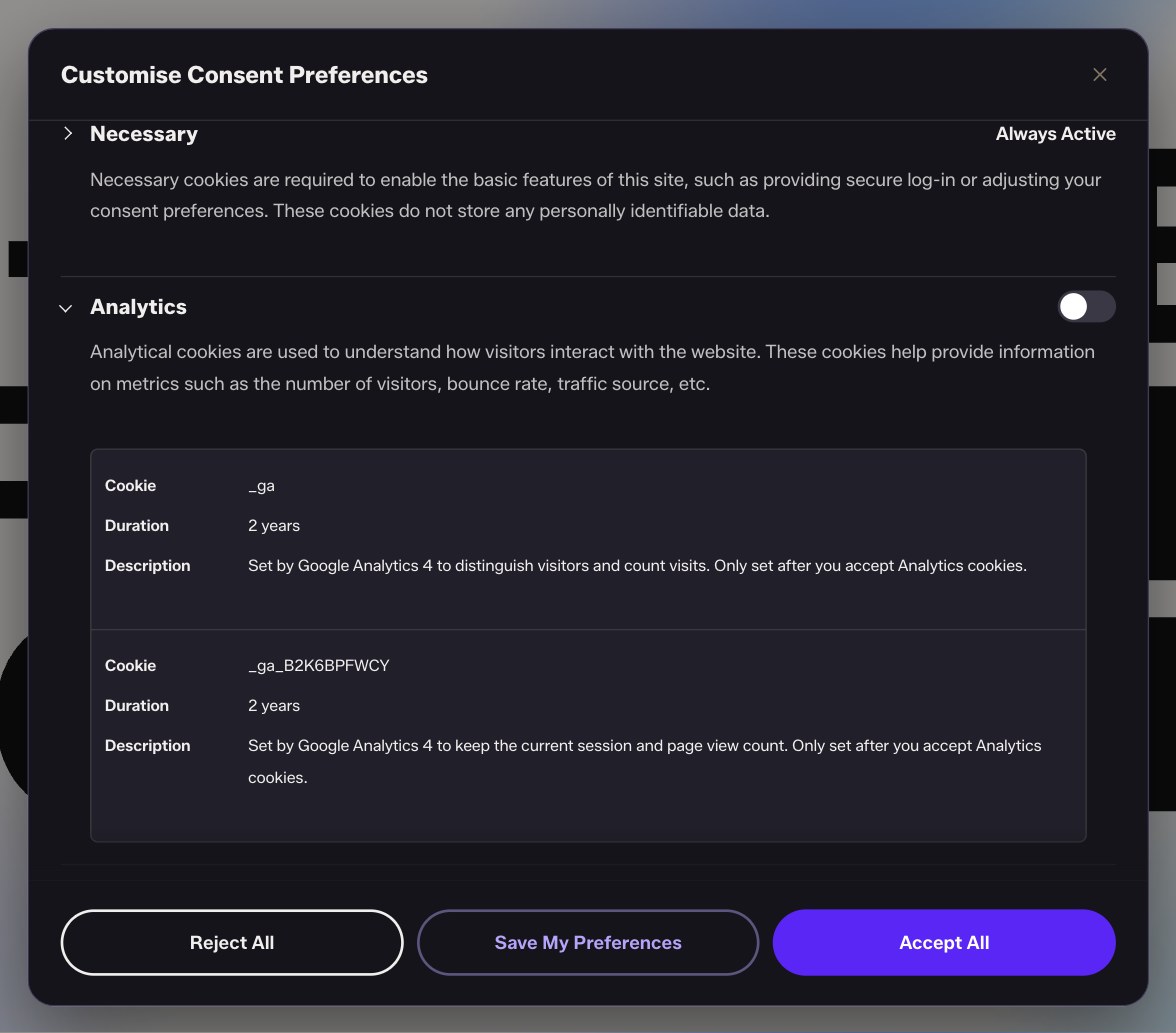
Accept and Reject are the same size on desktop. On phones, all three choices stack as full-width buttons.

The banner on the homepage: Reject All, Accept All and Customise.

On a phone, the choices stack with comfortable touch targets.

Every tag in one place.

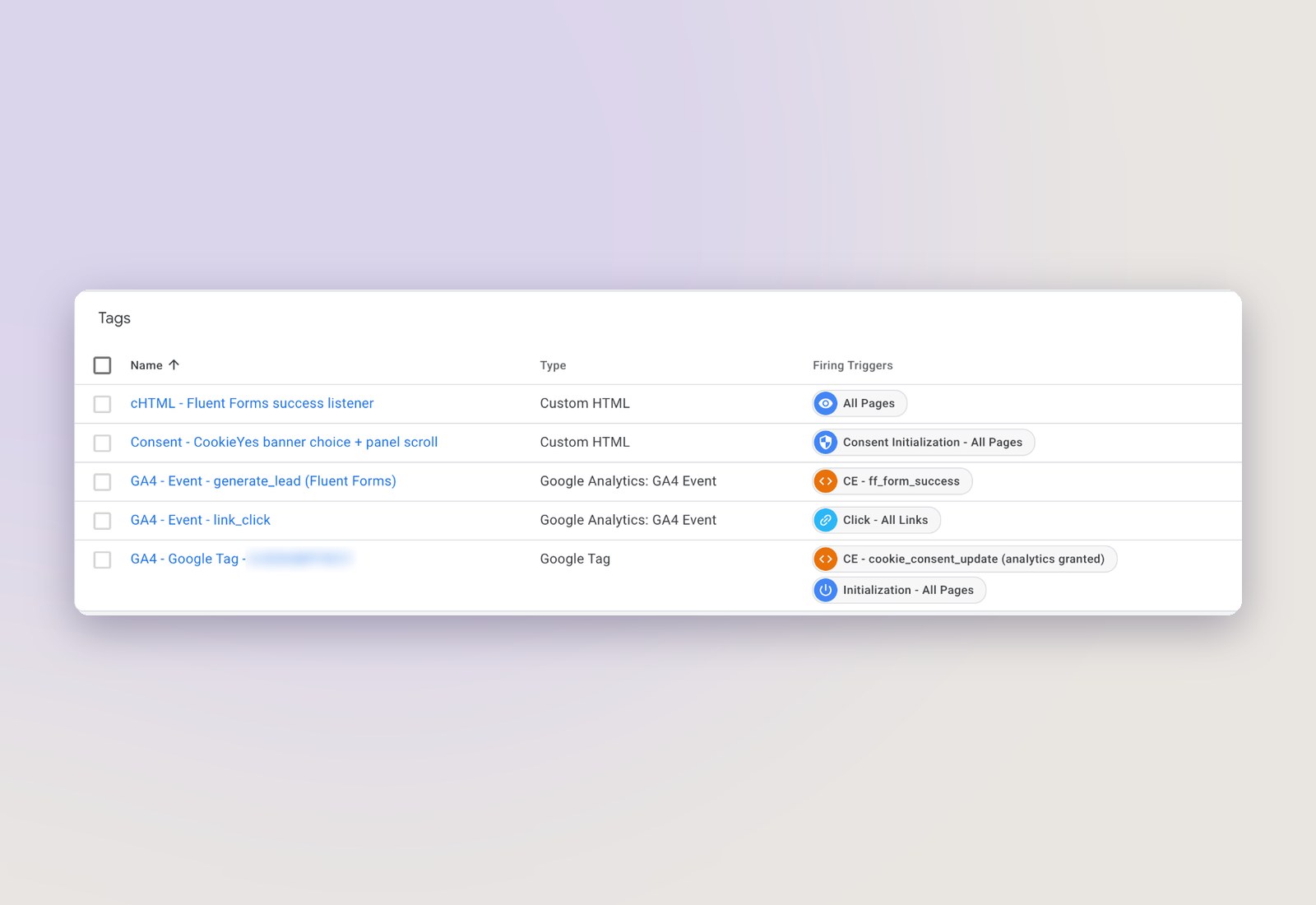
A Google tag, two event tags, a form listener and a consent tag. One variable holds the measurement ID, so nothing is typed twice.

The Google Tag Manager container for growthgeeks.agency.

04Our contribution

One setup. Four connected parts.

We planned, built and tested the whole setup on our own website, from the cookie banner to the events in Google Analytics.

Tags that wait for permission.

We installed Google Tag Manager with GTM4WP and set every Analytics tag to require analytics consent. The Google tag only fires once a visitor has accepted Analytics.

How it helped: new tracking can be added in Tag Manager without editing the website.

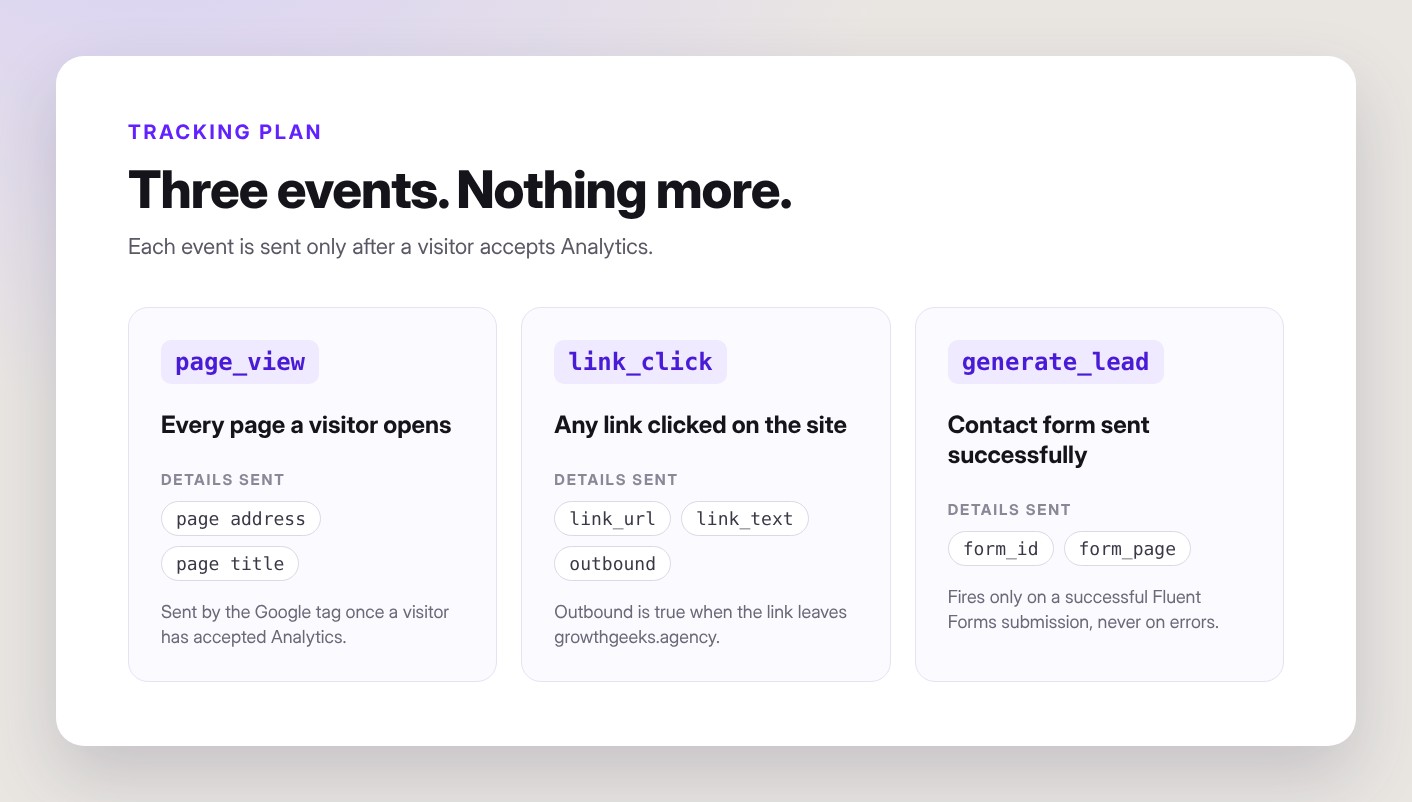
Page views, links and leads.

Page views come from the Google tag. Every link click is sent with its URL, text and an internal or outbound flag. Contact-form submissions send a lead event, but only when the form succeeds.

How it helped: we can see which content leads people to get in touch.

Checked on the live site.

We tested the live site as a first-time visitor in three states: before any choice, after Reject and after Accept. The container export, scripts and setup notes are saved in our repository.

How it helped: the setup can be checked, restored or reused for client websites.

05What we delivered

A measurement setup that respects visitors.

Growth Geeks now measures its own website with Google Analytics 4, only for visitors who agree to it. The same approach is part of our Marketing & Analytics service.

01

Google Tag Manager installed with GTM4WP

02

Google Analytics 4 page views, link clicks and form leads

03

Branded CookieYes banner and settings panel

04

Consent Mode v2: nothing tracked before consent

05

Consent tests on the live site

06

Container export, scripts and documentation in GitHub

PRIVACY-FIRST ANALYTICS

Want analytics your visitors can trust?

We can set up the same consent-first tracking on your website: cookie banner, Tag Manager and Google Analytics 4.

Plan your tracking setup
Architecture Portfolio Website

Architecture Portfolio Website