
Design System Services
ONE SYSTEM. EVERY BRAND. EVERY PLATFORM.
Design systems that connect Figma, code, and the products your customers use across web, Android, and iOS.


01 / Why it matters
Make consistency easier to scale.
As products grow, small design differences turn into repeated work. Teams need shared decisions for colour, typography, spacing and components, with enough flexibility for different brands and platforms.
We connect the design library, token model and implementation guidance so your team can build and maintain a system together.
01DesignVariables, themes and components
02ConnectTokens and platform mappings
03UseDocumentation and adoption
02 / What we create
One service. The right parts for your project.
Choose an area to see what we create and how it helps.
Start with a shared language.
Organise the decisions behind the interface into clear foundations that designers and developers can understand.
- Figma variables for colour, typography and spacing
- Semantic token names and structured JSON
- Mappings for CSS, Android and iOS
How it helps
A connected foundation that makes changes easier to review and carry into the product.
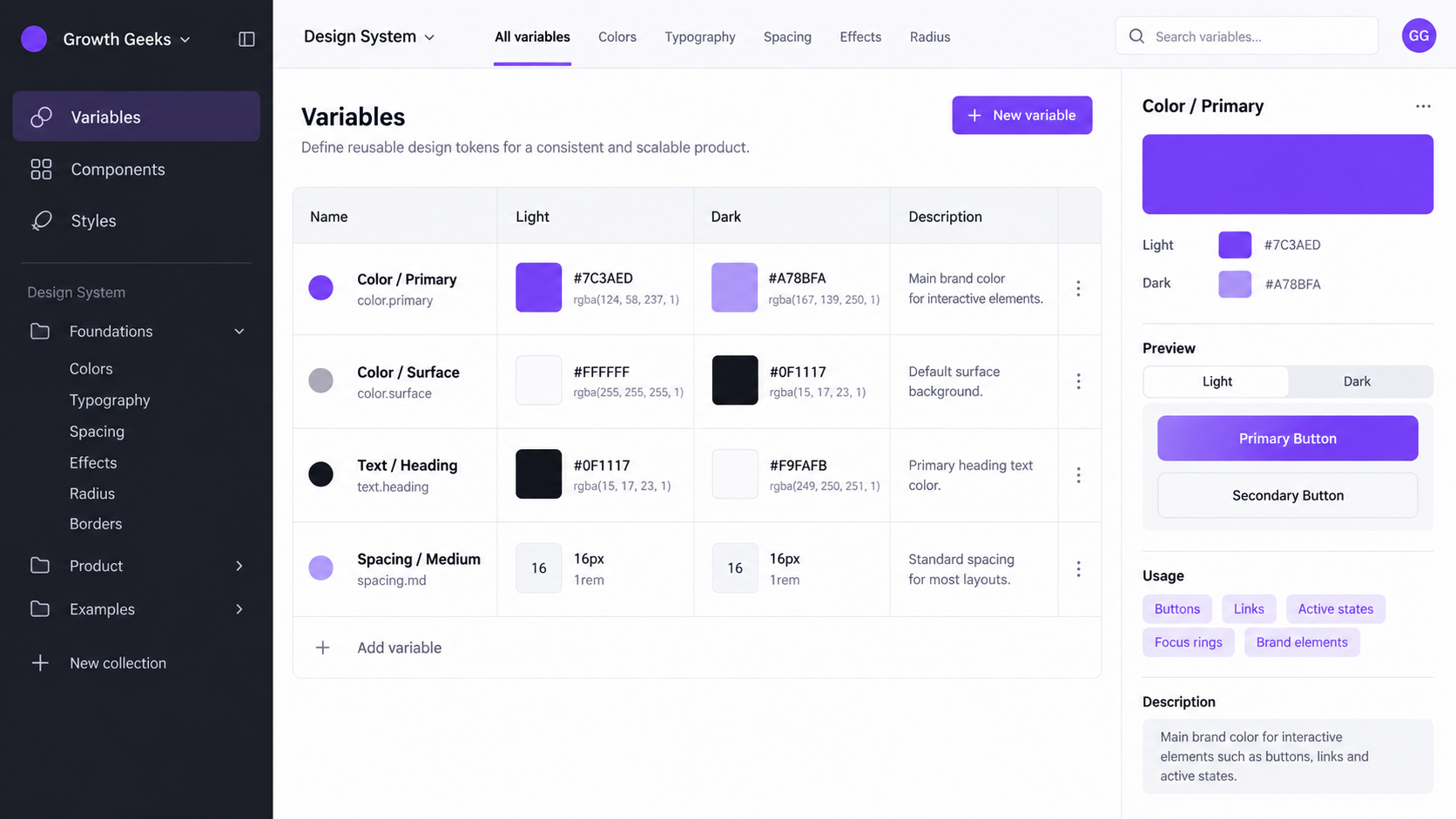
Illustrative design system example — foundations, themes and platform expression.
Build the pieces your team uses every day.
Create reusable components around real product tasks, including the states and behaviours people need to complete them.
- Component anatomy, variants and documented states
- Responsive behaviour and accessible interaction
- Usage examples and reusable product patterns
How it helps
A practical library that reduces repeated design work and helps teams build consistent experiences.
One component. Considered states.
01
StructureShared anatomy, spacing and variants
Define02
BehaviourFocus, loading, feedback and error states
Review03
GuidanceUsage examples for designers and developers
DocumentIllustrative component and handover diagram — scoped to your team’s workflow.
Different expressions. Shared foundations.
Give each brand its own visual character while keeping the component structure connected. Plan light, dark and brand-specific choices through clear modes.
- Brand and theme modes in Figma
- Shared components with purposeful variation
- Guidance across web, Android and iOS
How it helps
A system that can support more than one brand or platform without duplicating every decision.
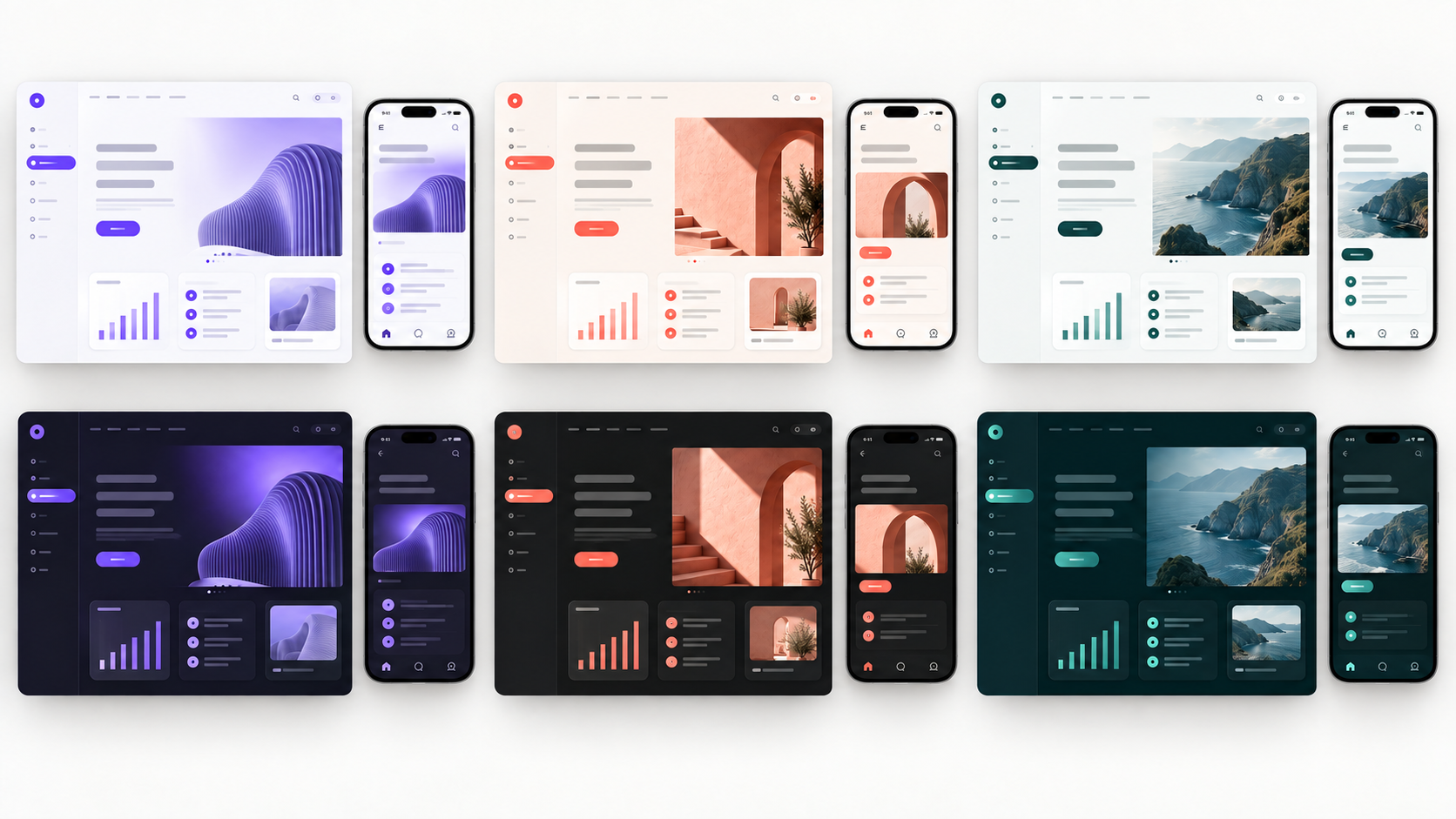
Illustrative design system example — foundations, themes and platform expression.
Keep the system useful after delivery.
Agree how design decisions reach code, how changes are reviewed and how the team learns to use the library.
- Token export, transformation and review workflow
- Figma Code Connect and MCP where appropriate
- Documentation, consultation and adoption sessions
How it helps
Clear ownership and a repeatable workflow for keeping the library and implementation aligned.
From design decisions to implementation
01
Figma variablesSemantic names and agreed modes
Design02
Token modelStructured JSON and platform mappings
Transform03
Code componentsLinks, review and release guidance
ImplementIllustrative component and handover diagram — scoped to your team’s workflow.
03 / How we deliver
A clear path from the first decision to handover.
01
Review
Audit the current files, products, code and recurring inconsistencies.
02
Define
Agree foundations, naming, component scope and the first useful release.
03
Build & validate
Create tokens, components and themes; review them in real interface examples.
04
Handover & adopt
Document usage, connect implementation and support the team’s next steps.
04 / What you receive
Practical work. Ready to use.
- Figma libraryReusable components, variants and documented interface states.
- Token foundationsVariables, semantic names and structured exports within scope.
- Brands & themesAgreed modes and guidance for each brand or theme.
- Platform mappingsA clear route from shared decisions to web, Android and iOS.
- Usage guidanceExamples, accessibility considerations and change procedures.
- Team handoverSource access, ownership guidance and adoption support.
Tools chosen for the task.
We select the tools around your scope, existing systems and ongoing needs.
Design foundations
Figma libraries, variables and modes organise the foundations and reusable components.
Design to code
Structured token JSON and platform mappings carry decisions into implementation. Figma Code Connect and MCP can support the agreed workflow.
Documentation & review
Editable guidance, versioned changes and review examples help the team maintain and adopt the system.
05 / Questions
A few things worth knowing.
Can you improve an existing library?
Yes. We can start with an audit of your Figma files, product interfaces and implementation. A focused first release can resolve gaps, clarify foundations and strengthen the components your team already uses.
Who owns the system, and how does it reach code?
We agree ownership and access in scope. Handover includes the agreed editable library, token exports and documentation, with an export and review workflow suited to your development tools. Platform-specific behaviour is documented where needed.
Can you help our team adopt and maintain it?
Yes. Consultation and adoption sessions can help the team use the library, resolve gaps and plan new brands or platforms. We agree responsibility for reviews, releases and ongoing support around your workflow.
06 / Start a conversation
Tell us what you want to create.
Share the idea, the current challenge or the next step you need help with.