DESIGN SYSTEMS / IN-HOUSE PRODUCTS

One source of truth for every screen, on every platform.

We built the design systems behind our own products: a Figma library with themes and platform modes, one token file that feeds web, iOS and Android, and checks that stop an unreadable colour before it ships.
Client
Growth Geeks Agency (our own products)
Stack
Figma variables · Design tokens · Tailwind · NativeWind · React · React Native
Project type
Design system & token pipeline
Audience
Product teams shipping on web, iOS and Android

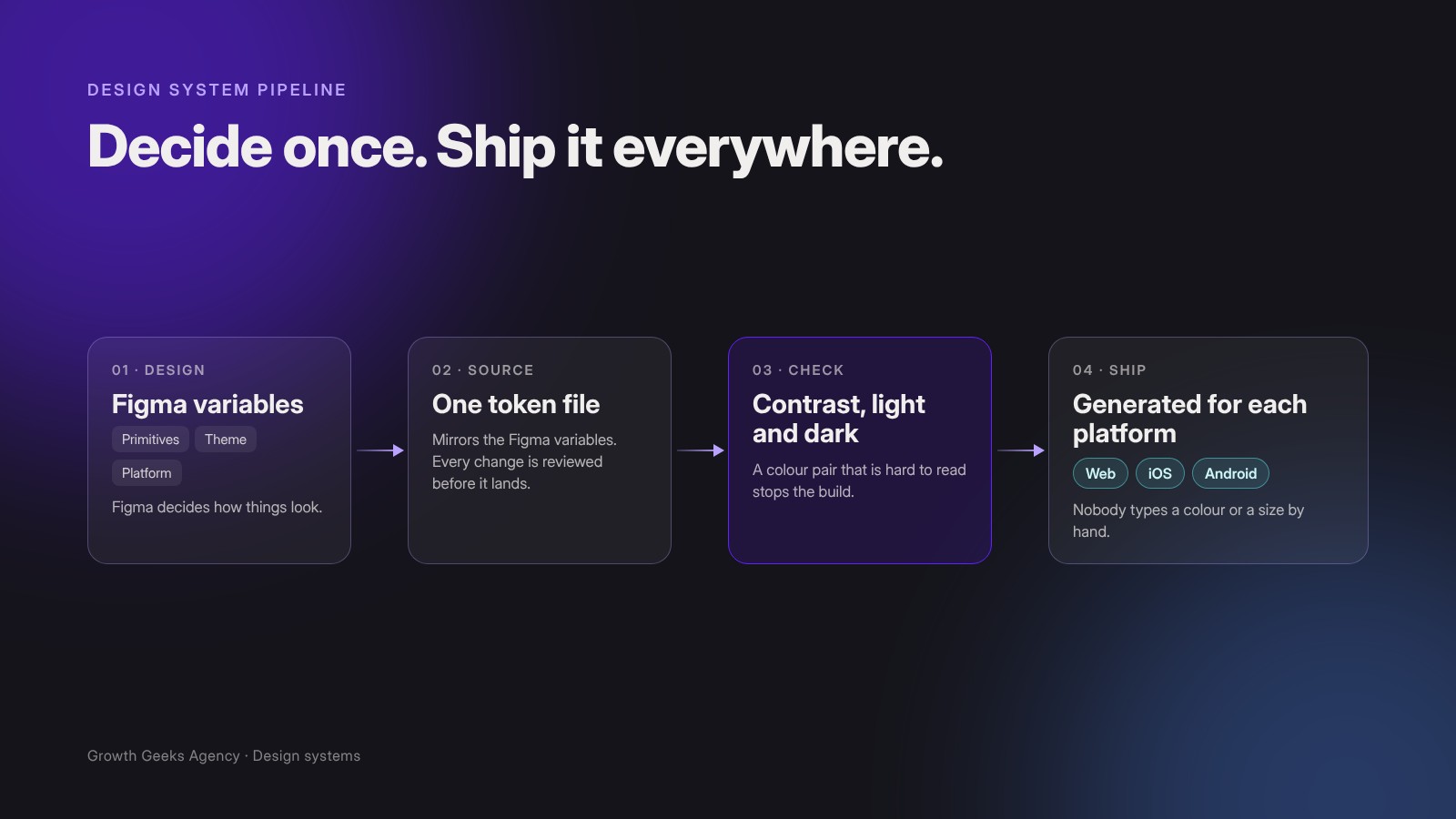
One decision in Figma reaches every platform, checked on the way.

01The brief

Fast teams drift. A system keeps them together.

Our products run on the web, on iPhone and Android, and inside Figma. A small team builds them quickly with AI coding agents, which makes small differences cheap to create and expensive to fix.

We needed one place where colour, spacing, type and components are decided, and a way to carry those decisions into every app without anyone typing them again.

02The approach

Figma decides. The code follows.

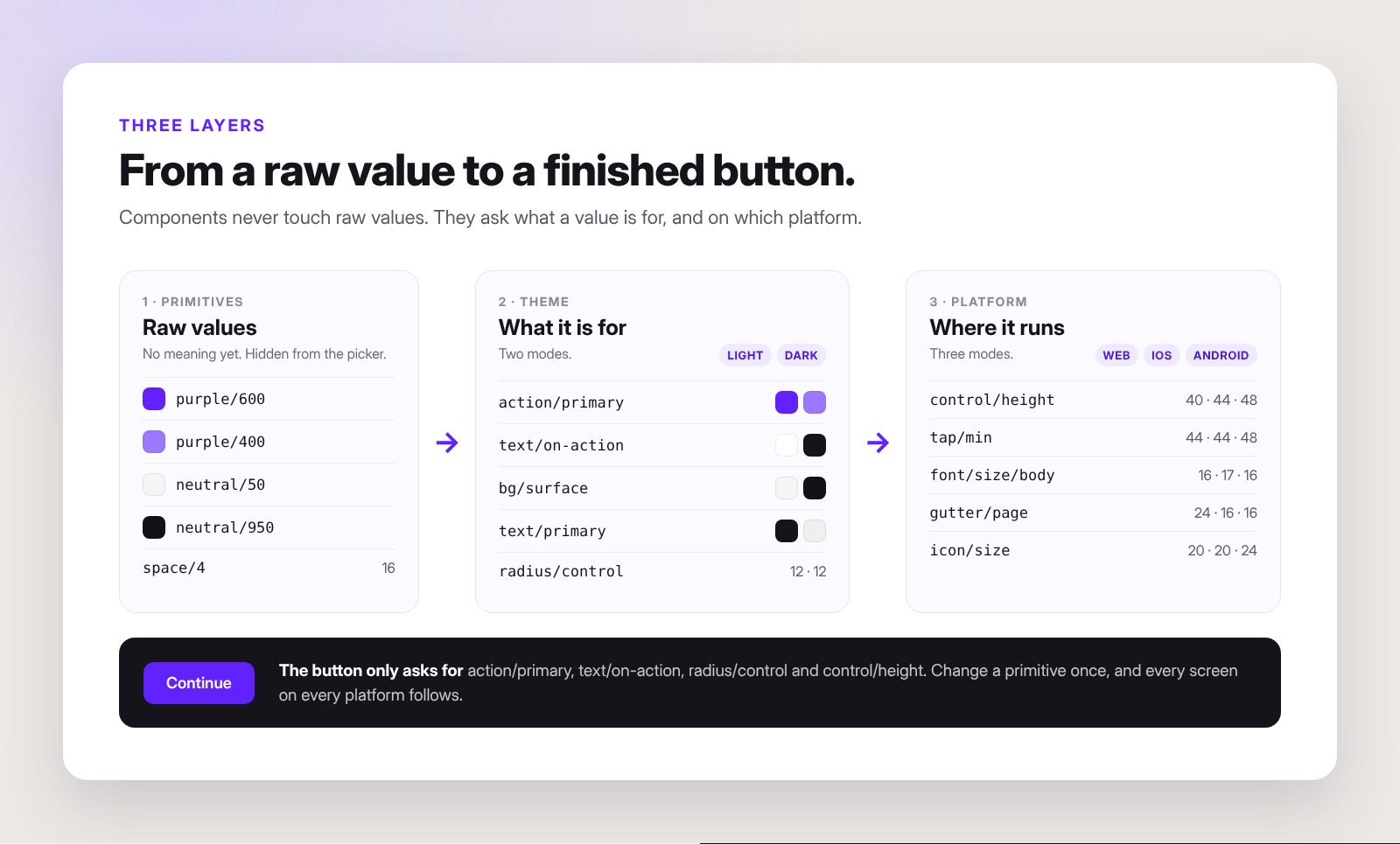
Every value lives in three layers. Primitives are raw values and stay hidden. Theme says what a value is for, with Light and Dark modes. Platform holds the sizes that really differ between web, iOS and Android.

Components may only use Theme and Platform. A raw colour in product code counts as a bug, not a shortcut.

03The work

Built once, shown three ways.

We designed the library in Figma, then built the pipeline that carries it into code, so every screen on every platform comes from the same decisions.

Three layers, one button.

A button asks what a value is for, never for a hex code. Change a primitive once, and every screen follows.

Raw values, theme values and platform values, combined in one component.

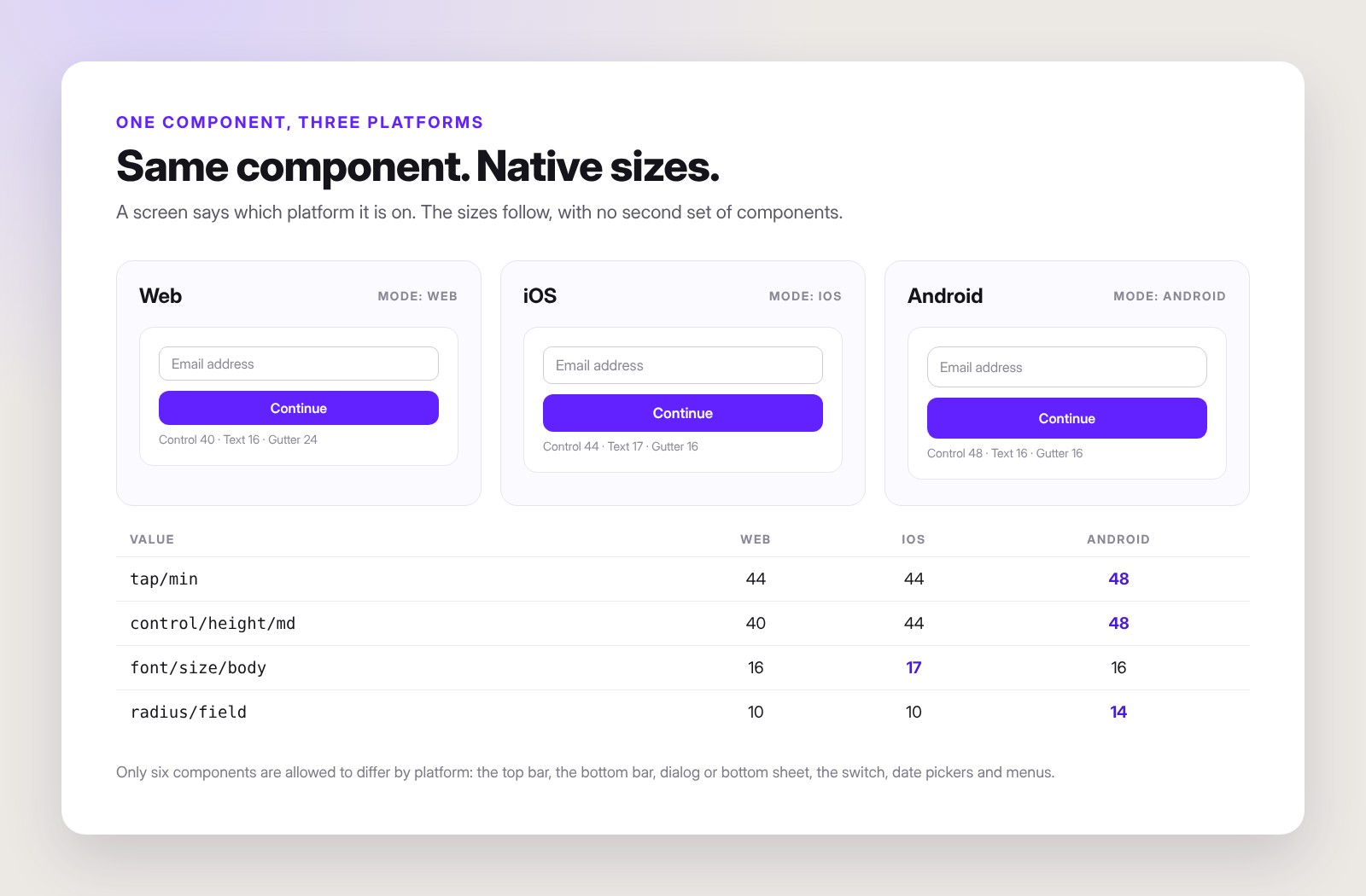
Native sizes, same component.

Each screen says which platform it is on, and tap areas, text sizes and corners follow. Only six components are allowed to look different per platform.

The same input and button on web, iOS and Android.

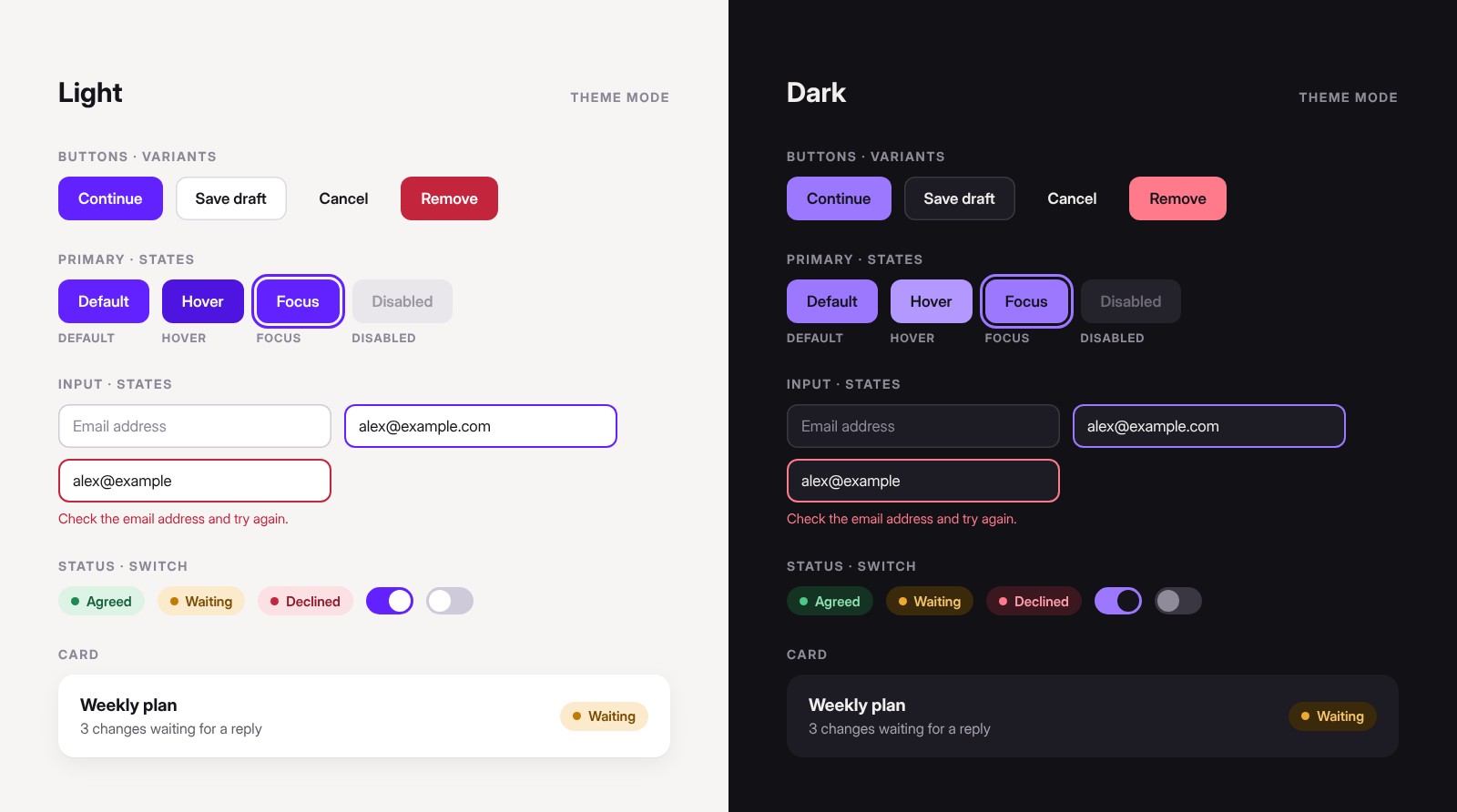
Every state, in both themes.

Variants and states are drawn in light and dark from the same variables: default, hover, focus, disabled and error.

Buttons, inputs, status badges, switches and cards in light and dark.

04Our contribution

One system. Four connected parts.

We set up the library, the pipeline, the checks and the rules that keep them in step.

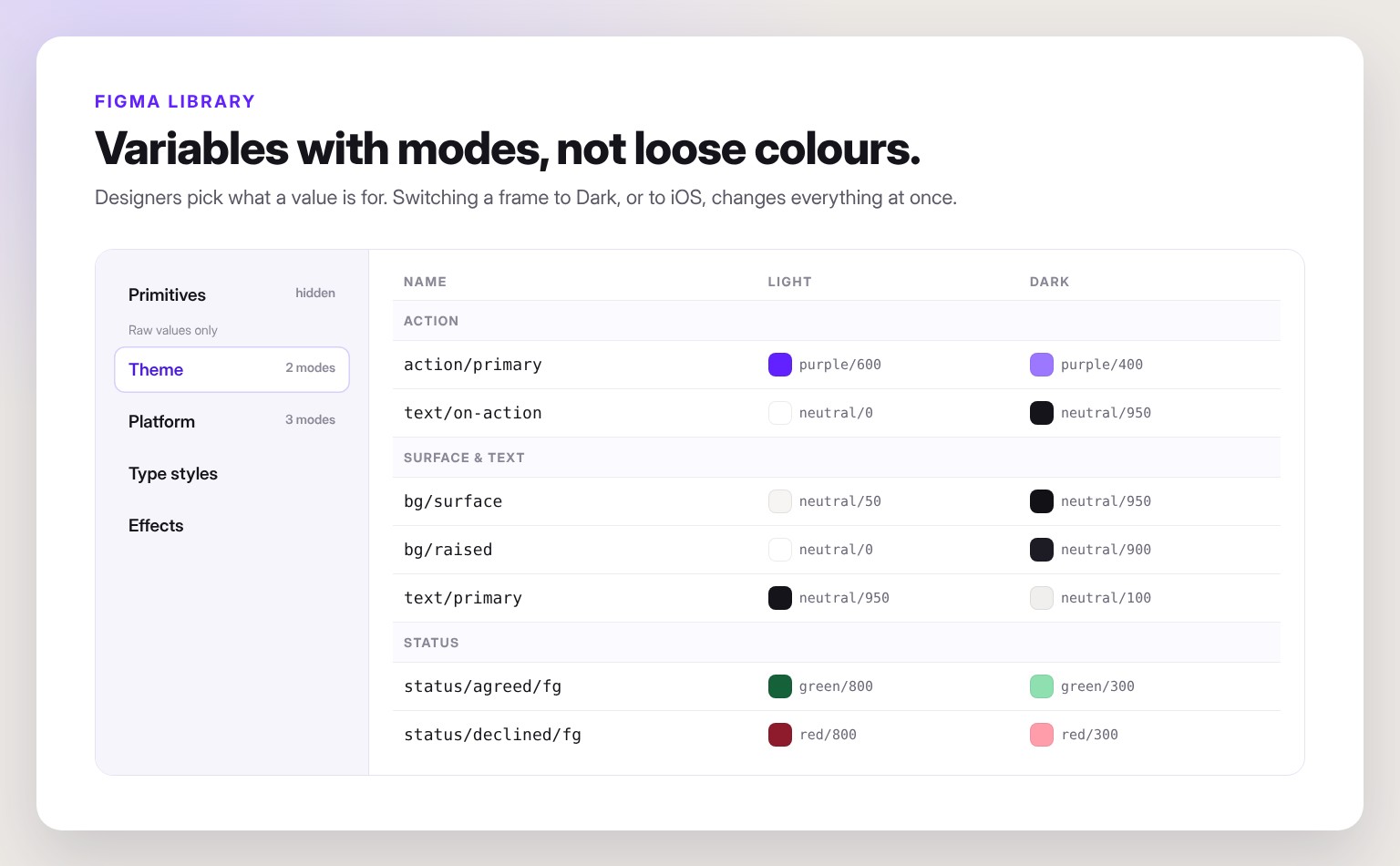
Variables with modes.

We built the library on Figma variables in three collections, with Light and Dark theme modes and Web, iOS and Android platform modes. Raw values are hidden from the picker, so designers choose what a value is for.

How it helped: switching a frame to Dark, or to iOS, changes everything in it at once.

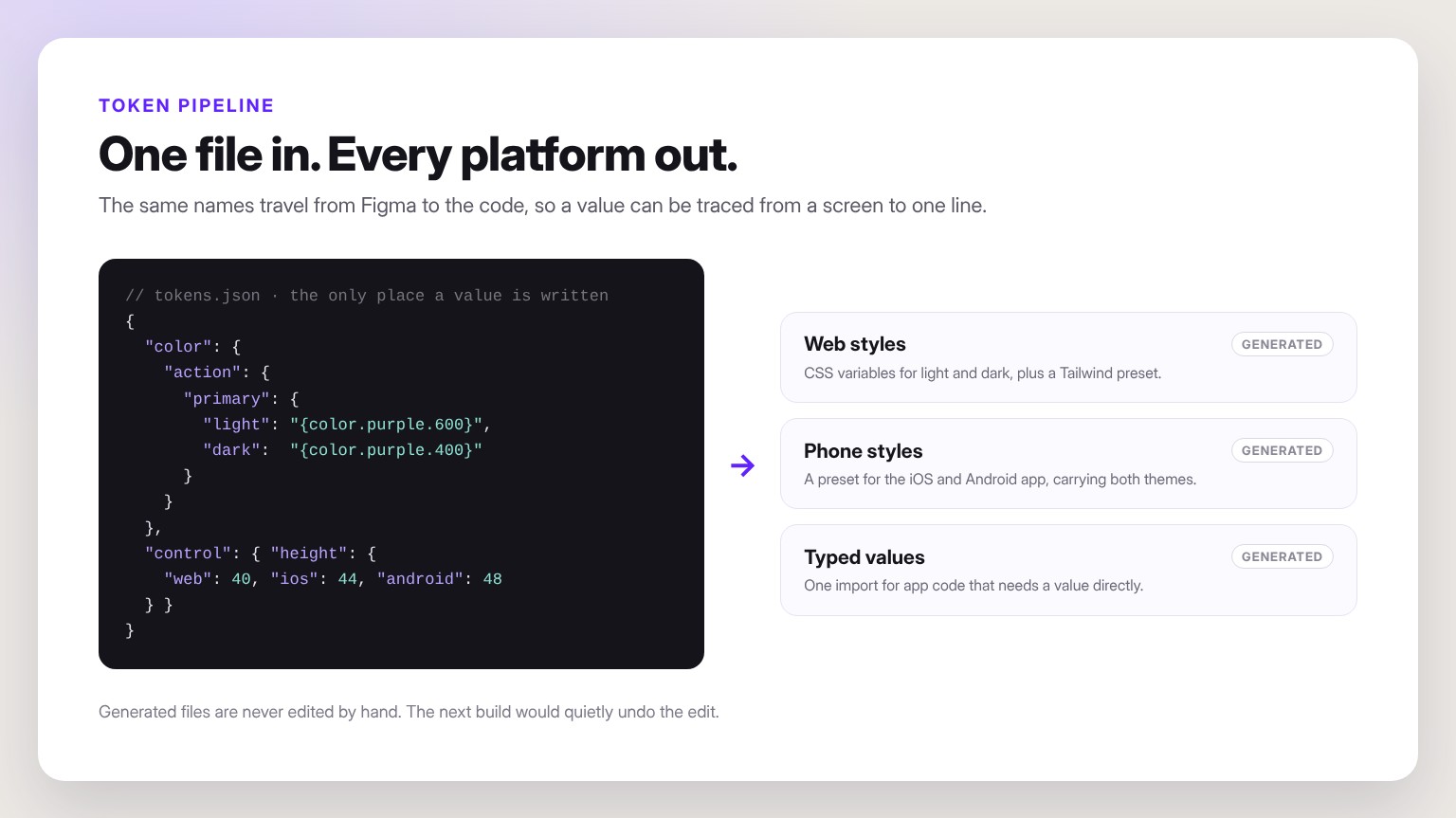
One file in, every platform out.

One token file mirrors the Figma variables. A build turns it into CSS variables and a Tailwind preset for the web, a preset for the iOS and Android app, and typed values for app code. Generated files are never edited by hand.

How it helped: a brand colour change is one edit, reviewed once.

Checked on every build.

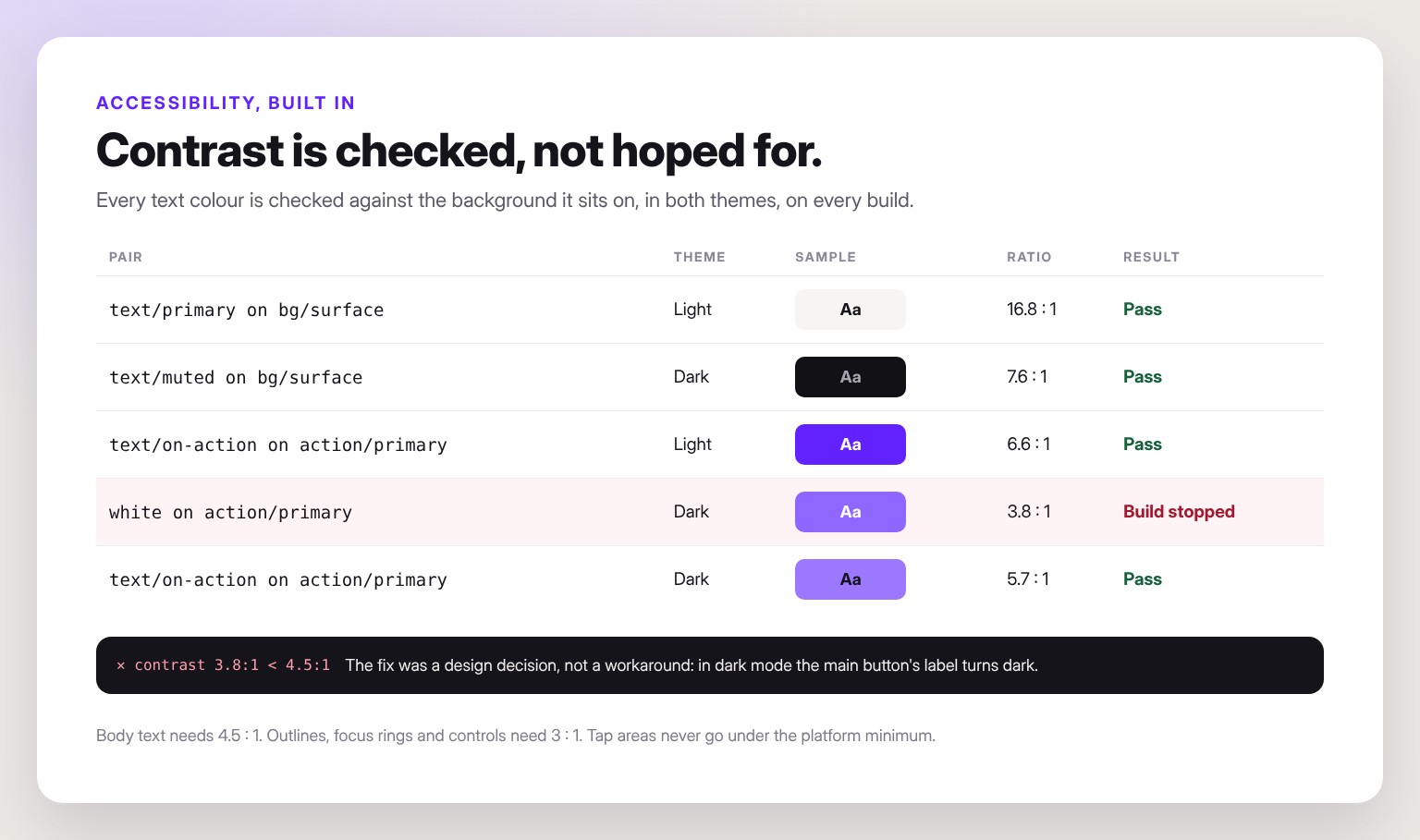
Every text colour is checked against its background in both themes. Body text needs 4.5 to 1, controls and focus rings 3 to 1, and a failing pair stops the build. Tap areas never go under the platform minimum.

How it helped: problems are caught before a screen is built, not after launch.

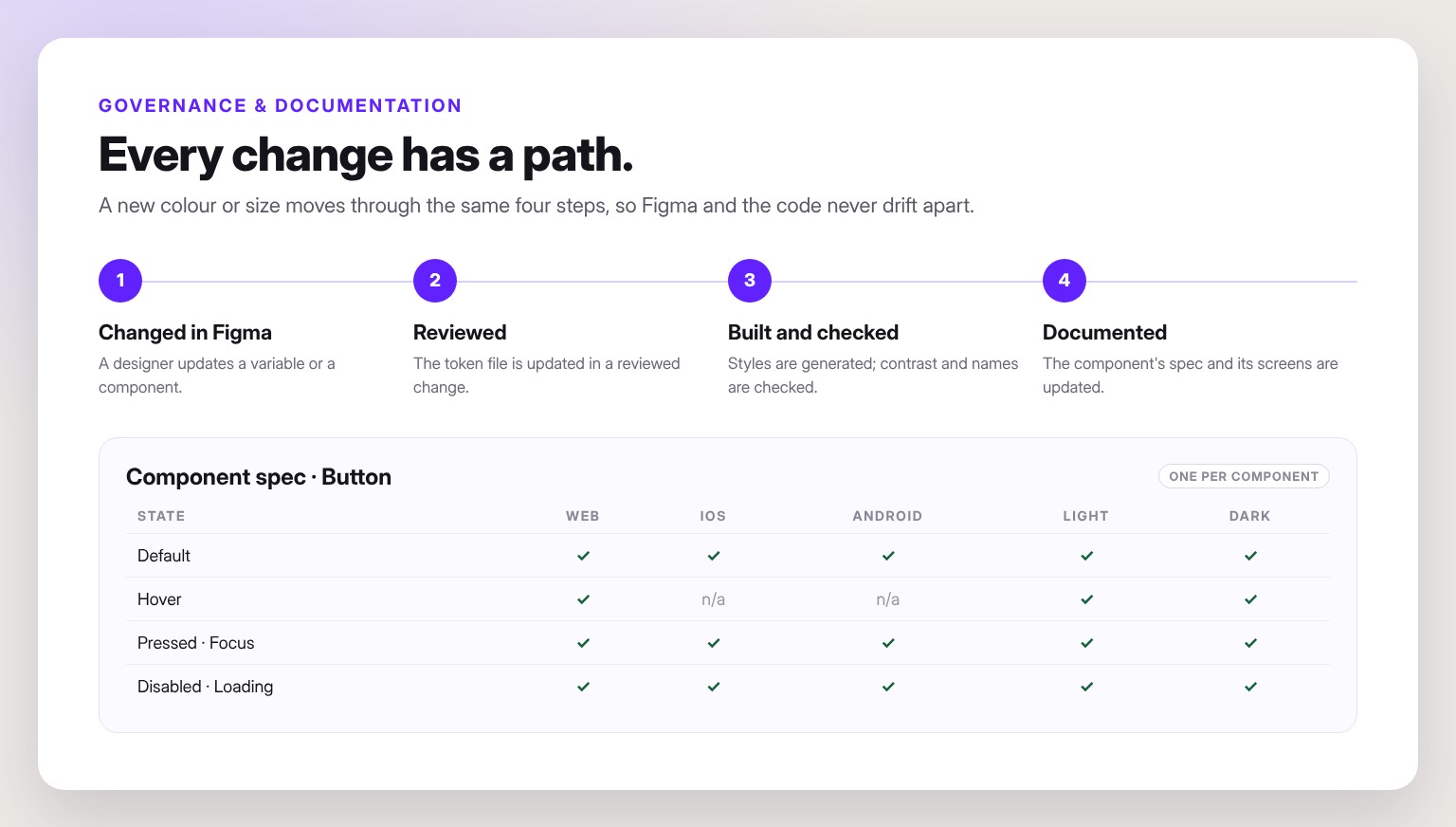
Every change has a path.

Each change moves from Figma to a reviewed update of the token file, through the build checks, into the component’s spec. Every component has a spec for its states on web, iOS and Android, in light and dark.

How it helped: Figma and the code stay in step as the products grow.

05What we delivered

A foundation the products are built on.

Our products now share one way of deciding how things look, and every app is styled from the same source. The same approach is part of our Design Systems service.

01

Figma library with variables, themes and platform modes

02

One token file for web, iOS and Android

03

Generated styles: CSS variables, Tailwind and phone presets

04

Contrast checks in light and dark that stop the build

05

Platform rules: tap minimums and six native components

06

A spec for every component and a reviewed change process

DESIGN SYSTEMS

Need a design system your developers can build from?

We can set up the Figma library, the tokens and the checks for your product, on web, iOS and Android.

Plan your design system
Architecture Portfolio Website

Architecture Portfolio Website